How to Install CCTV Cameras Legally in Singapore: A Complete Guide for Offices
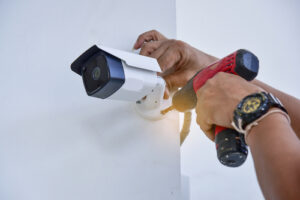
Written by the 1st Solution security team | Last reviewed: September 2026
Installing CCTV cameras in your office isn’t just a matter of picking good angles and buying decent hardware. In Singapore, it also means staying on the right side of two separate pieces of legislation: the Personal Data Protection Act (PDPA), which governs how you collect and use footage of identifiable people, and the Private Security Industry Act, which governs who is legally allowed to install and maintain your system.
Get the placement wrong and you lose useful footage. Get the legal side wrong and you’re exposed to fines, PDPC enforcement action, or — in the worst cases — criminal liability. This guide walks through both: what the law actually requires, and where to physically put your cameras once you’re compliant.
Understanding the PDPA for Office CCTV
Singapore doesn’t ban businesses from using CCTV. What the PDPA does is regulate how you handle any personal data your cameras capture — and footage that can identify a person (their face, their car plate, their movements) counts as personal data.
Three obligations matter most for office CCTV:
1. Consent. You generally need consent from employees and visitors before collecting their personal data via CCTV, or you need to rely on a recognised exception (such as CCTV used for security purposes, which the PDPC treats somewhat more leniently — but you still can’t skip notification).
2. Notification. You must tell people that CCTV is in use and why. In practice, this means visible signage at entry points stating that the area is monitored and the purpose of the monitoring (e.g. “This area is under CCTV surveillance for security purposes”). A camera icon alone isn’t sufficient — the notice needs to state the purpose.
3. Reasonable purpose. Your camera coverage has to be proportionate to a legitimate security need. Filming your own entrance is easy to justify. Filming deep into a neighbouring building’s windows, or capturing far more of a public street than your security purpose requires, is much harder to defend if the PDPC ever asks.
Does It Matter If My Office Is “Public” or “Private” Space?
Yes — and this is a distinction most office CCTV guides skip entirely.
The PDPA treats publicly accessible premises (a retail shop, a café, a building lobby anyone can walk into) somewhat differently from non-publicly-accessible premises (an office behind keycard access, a staff-only floor). For public areas, you generally don’t need individual consent from every visitor, though you still need to use the footage for reasonable purposes. For non-public, keycard-controlled office space, you’re expected to give clear notice and, where practical, obtain consent — typically satisfied through signage at the point of entry and a line in your employee handbook or onboarding materials.
If your office sits inside a shared building, remember that your obligations only extend to areas you control. Lobbies and common corridors are usually the landlord’s or the building management’s responsibility, not yours.
Do You Need a Licensed Installer?
This is a legal requirement most office CCTV guides leave out entirely: under the Private Security Industry Act, any company or individual that provides CCTV installation or maintenance as a service must hold a Security Service Provider licence issued by the Police Licensing and Regulatory Department. Licensees are security-screened before they’re allowed to offer these services.
Practically, this means:
- If you’re engaging a contractor or company to install your office CCTV system, confirm they hold a valid Security Service Provider licence before signing anything. You can ask to see it, or check with the Singapore Police Force’s licensing division if you’re unsure.
- If you’re a sole proprietor mounting a single camera above your own shop entrance yourself, you’re not “providing a service” to a third party, so the licensing requirement is aimed at the installer, not at business owners doing basic DIY work on their own premises. That said, for multi-camera office systems involving cabling, network configuration, and integration with access control, a licensed professional is strongly advisable — both for compliance and for a system that actually works.
Where to Install CCTV Cameras in Your Office (and Where You Legally Cannot)
Once you’re clear on the legal framework, placement comes down to two questions: where do incidents actually happen, and where are you legally barred from pointing a lens?
Recommended Coverage Areas
Entrances and exits. Every point where someone can enter or leave — main doors, back doors, loading areas — should be covered. This is also usually your easiest area to justify under the PDPA’s “reasonable purpose” test, since access control is a core security function.
Reception and waiting areas. This is where visitors are onboarded and where unattended bags, laptops, or documents are most likely to go missing. It’s also the area where your CCTV signage should live, since it’s the first point of contact for anyone entering.
High-risk zones. Server rooms, storage rooms, and any area where cash or high-value assets are handled warrant dedicated coverage. Because these are internal, non-public areas, make sure your PDPA notice covers them too — a sign at the front door doesn’t automatically extend consent to a server room deep inside the office.
Open workspaces, done carefully. Monitoring general work areas can help with asset protection, but it’s also the area most likely to trigger employee pushback. Favour corner-mounted, wide-angle placements over cameras aimed directly at individual desks, and always disclose this coverage in writing (staff handbook, onboarding notice, or a dedicated internal memo) rather than relying on a lobby sign alone.
Areas Where Installing CCTV Is a Legal Risk, Not Just a Privacy Concern
- Restrooms and changing rooms. This isn’t a grey area. Recording in these spaces can amount to criminal offences under Singapore law relating to voyeurism and outrage of modesty, on top of PDPA exposure. There is no legitimate business justification that overrides this.
- Staff break rooms and prayer/lactation rooms. These are treated as private spaces even though they’re on business premises. Monitoring them is difficult to justify as “reasonable purpose” and is a common trigger for PDPC complaints.
- Screens displaying sensitive data. Position cameras so they don’t inadvertently capture passwords, login credentials, or confidential financial documents on employees’ monitors — footage like this can itself become a data breach.
- Beyond your property line. Avoid angling cameras to capture detailed footage of neighbouring units or public areas beyond what your security purpose requires; this is one of the more common ways businesses unintentionally breach the “reasonable purpose” obligation.
Handling Footage: Retention and Access Requests
The PDPA doesn’t set a fixed retention period for CCTV footage — instead, you’re expected to keep it only as long as there’s a legitimate business or legal reason to do so, then delete it securely. A written retention policy (e.g. “footage is retained for 30 days unless flagged for an active investigation”) is good practice and useful evidence of compliance if the PDPC ever asks.
Individuals have a right to request access to footage that identifies them, under Sections 21 and 22 of the PDPA. If a request is made, you generally need to respond within a reasonable timeframe. Where the footage also captures other identifiable people, you can still fulfil the request by masking or blurring those individuals, provided doing so is reasonably practicable.
What Happens If You Get It Wrong: Penalties
Since 1 October 2022, the PDPC’s maximum financial penalty for organisations that breach their data protection obligations — including mishandling of CCTV footage — is 10% of the organisation’s annual turnover in Singapore (for organisations with turnover exceeding S$10 million), or S$1 million, whichever is higher. Smaller organisations without that turnover threshold still face penalties up to the S$1 million ceiling. Beyond financial penalties, individuals who knowingly or recklessly mishandle personal data for gain or with malicious intent can also face separate criminal liability under the PDPA.
Separately, installing CCTV without engaging a properly licensed contractor (where a service provider is involved) is itself an offence under the Private Security Industry Act, independent of any PDPA issue.
Choosing the Right CCTV System
Once your legal groundwork is settled, the hardware decision is more straightforward:
- Wired (analogue/IP) vs. wireless. Wired systems are generally more reliable for a fixed office layout; wireless is faster to deploy and easier to reconfigure if your office moves or expands.
- Resolution. Higher resolution matters most at entrances and reception, where you need to identify faces clearly — it matters less in wide-angle general coverage areas.
- Camera type. Dome cameras suit discreet indoor monitoring; bullet cameras suit outdoor perimeter coverage; PTZ (pan-tilt-zoom) cameras are useful for larger open areas where one camera needs to cover multiple points of interest.
- Storage and access. Whether you use cloud storage or a local NVR/DVR, make sure access to stored footage is itself access-controlled — an unsecured recorder is a data breach waiting to happen, and undermines the “reasonable security arrangements” the PDPA expects of you.
A Practical Compliance Checklist
- Confirm which areas of your office are public-facing vs. keycard-restricted, and note the different notice/consent requirements for each.
- Draft and display CCTV signage that states both the fact of surveillance and its purpose — not just an icon.
- Add a CCTV disclosure to your staff handbook or onboarding materials, especially for coverage of internal work areas.
- Confirm your installer holds a valid Security Service Provider licence before signing a contract.
- Set a written retention policy for footage and a process for responding to access requests.
- Physically review your camera angles after installation to confirm none capture restrooms, break rooms, screens with sensitive data, or areas beyond your property line.
- Secure your recording device and footage storage behind its own access controls.
Frequently Asked Questions
Can I install CCTV cameras in my office myself? If you’re mounting a basic system for your own premises without offering installation as a service to others, you’re not caught by the Private Security Industry Act’s licensing requirement. For anything beyond a simple setup — multi-camera coverage, network integration, access control tie-ins — engaging a licensed professional is strongly recommended for both legal and technical reasons.
Do I need to tell my employees about office CCTV? Yes. Notification is a core PDPA obligation, and for non-public, keycard-restricted office areas, clear notice (and ideally documented acknowledgment) is expected — a sign at the front door is not enough to cover internal work areas.
How long can I keep CCTV footage? There’s no fixed statutory limit — you keep it only as long as there’s a legitimate business or legal reason. Set and document your own retention policy rather than storing footage indefinitely by default.
What happens if an employee asks to see footage of themselves? You generally need to provide access within a reasonable timeframe under PDPA Sections 21–22. If other people are identifiable in the same footage, you can still comply by masking or blurring their faces.
Are there areas where CCTV is never allowed? Yes — restrooms and changing rooms are off-limits regardless of your security justification, and doing so can trigger criminal liability separate from any PDPA exposure.
Final Thoughts
A CCTV system that’s well-placed but legally non-compliant is a liability, not a security asset — it can expose your business to PDPC penalties and, in the case of prohibited areas, criminal charges. Get the legal groundwork right first: confirm your installer is licensed, put proper notices and policies in place, and only then finalise your camera placements. Done properly, CCTV remains one of the most cost-effective ways to protect your staff, your assets, and your business.
This article is provided for general informational purposes and does not constitute legal advice. For guidance specific to your business, consult a data protection lawyer or the Personal Data Protection Commission’s published advisory guidelines.