How to Maintain Your Office CCTV System
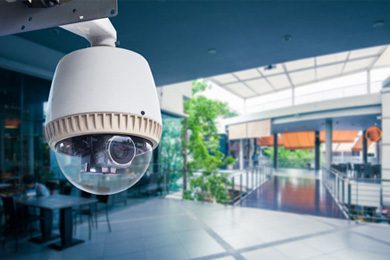
A CCTV system is an essential security measure for any office or commercial establishment. It helps to deter crime, monitor activities, and provide evidence in case of any incidents. However, to ensure its optimal performance, it is essential to maintain your office CCTV system regularly.
Maintaining your CCTV system not only ensures its proper functioning but also extends its lifespan. In this article, we provide a comprehensive guide on how to maintain your office CCTV system to keep it in top condition.
Understanding your office CCTV system:
Before you start maintaining your office CCTV system, it’s essential to understand its components and how it works. A typical CCTV system comprises cameras, cables, a DVR/NVR, and a monitor. It works by capturing images or videos and storing them on the DVR/NVR for later viewing.
Tips for maintaining your office CCTV system:
a. Maintain the cameras clean and dust-free: i. Why is cleaning necessary?
Dirt, dust, and other particles might obstruct the camera’s lens, leading to blurry images or videos. ii. How to clean the cameras? Use a gentle, dry cloth to wipe the lens carefully. Avoid using strong chemicals or water.
b. Inspect the wiring and connections: i. Why is checking the wiring important?
Faulty wiring or weak connections might cause disturbances or faults in your CCTV system. ii. How to examine the wiring and connections? Check the cables and connectors for any evidence of damage or wear and tear. Fix loose connections and replace broken cables.
d. Establish a reliable power source: i. How crucial is a power supply?
Your CCTV system may shut down or malfunction as a result of an inadequate power supply. ii. How can a proper power supply be ensured? Make that the power cords connecting your CCTV system to a reliable power source are in good condition.
d. Consistently review the DVR/NVR: i. Why is it crucial to check the DVR/NVR?
Your CCTV system’s DVR/NVR is its brain, and any malfunction might result in data loss or interruptions to recording. ii. How can I inspect my DVR or NVR? Check the DVR/NVR frequently for any indications of damage or overheating. In order to guarantee proper ventilation, clean the fans and vents.
i. Why is it vital to optimize storage space? e. Maintain the storage space optimized.
Your CCTV system may cease recording or replace old data if the storage capacity is full or almost full. ii. How can storage space be optimized? Check the storage area frequently and remove any redundant or superfluous footage. To lessen the amount of data being recorded, motion detection can also be configured.
i. Why is it vital to test the system on a regular basis?
Frequent testing can assist in finding any defects or malfunctions before they result in any serious harm or data loss. ii. How can the system be tested? By recording and watching the video, you may test the cameras, wires, and DVR/NVR. Also, you can test the system by simulating an intrusion or an emergency and observing how it reacts.
Questions on maintaining office CCTV systems:
I have CCTV cameras; how often should I clean them? If you observe any obvious dirt or debris on the lens, we advise cleaning your CCTV cameras more frequently—at least every three months.
b. What actions should I take if my CCTV system breaks down? Check the power supply, wires, and DVR/NVR for any damage or problems if your CCTV system stops working. Contact a reputable CCTV maintenance provider if you are unable to resolve the issue.
b. How can I maximize the storage capacity of my CCTV system? By removing pointless video, activating motion detection, or expanding storage space, you can maximize the amount of space your CCTV system can store.
d. Should I employ a professional to maintain my CCTV system or can I do it myself? We advise contacting a professional CCTV maintenance provider for more complex chores like repairing the DVR/NVR, even though you can complete certain basic maintenance activities on your own like cleaning the cameras or inspecting the wires.
g. How frequently should my CCTV system be tested? In the event that you observe any indications of malfunction or interruptions in recording, we advise evaluating your CCTV system more frequently or at least once every six months.
Conclusion:
For your business CCTV system to operate at peak efficiency and have a long lifespan, regular maintenance is essential. You can maintain your CCTV system in top shape and ensure its efficacy in providing security and monitoring for your office or business establishment by adhering to the advice and recommendations mentioned in this article. To maintain the effective operation of your CCTV system, keep in mind to do regular maintenance and tests and to seek professional assistance when necessary.