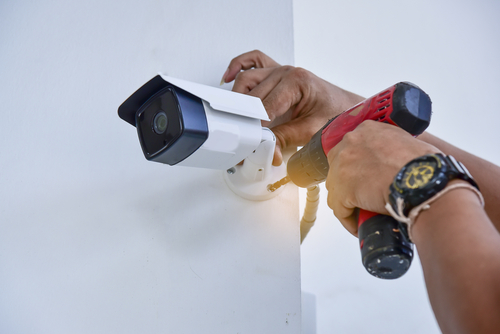
A retail shop has a different security profile from an office or a warehouse. You have a constant flow of strangers walking through your space, high-value stock sitting within arm’s reach on open shelves, cash changing hands at the register, and staff who need to be protected from confrontational customers as much as your stock needs protecting from shoplifters. A CCTV system built around this reality — not a generic “cover the entrance and call it done” setup — is what actually reduces loss and gives you usable footage when something goes wrong.
This guide covers where cameras actually need to go in a retail shop, which camera types suit each zone, and what Singapore law expects you to do with the footage once you’re recording it.
Why Retail Shops Need a Different Approach to CCTV
Shoplifting and till-related loss are the two problems retail CCTV is primarily built to address, but they call for different things from your system. Catching a shoplifter concealing an item requires clear, close footage of shelves and fitting-room entrances. Resolving a disputed cash transaction requires a camera angled specifically at the register drawer, not a wide shot of the whole counter area. A system designed around “general coverage” often ends up doing neither job well — the camera covering your entrance from 4 metres away won’t produce a usable still of someone’s face, and a single wide-angle camera over the sales floor won’t capture what actually happened at the till.
The starting point isn’t picking cameras — it’s mapping your shop’s actual risk zones and working out what each one needs.
Where to Place Cameras in a Retail Shop
Every retail layout is different, but most shops share the same handful of zones that need dedicated coverage. The table below breaks down what each zone actually needs and why a generic camera placement often fails it.
| Zone | What to Capture | Recommended Camera Type | Common Placement Mistake |
|---|---|---|---|
| Entrance/exit | Clear facial shots of everyone entering and leaving, timestamped | Fixed HD camera at head height, angled slightly downward | Mounted too high or too far back — captures the top of people’s heads, not faces |
| Cash register / POS | The transaction itself: cash drawer, hands, and the screen if possible | Dedicated fixed camera angled directly at the till, separate from general counter coverage | Relying on one wide shot of the whole counter, which is too far to confirm what happened in the drawer |
| High-value shelving / display units | Close enough detail to identify concealment, not just movement | Dome camera (discreet) or fixed camera with a tighter field of view | Using the same wide-angle lens as open floor areas, which loses too much detail at that distance |
| Fitting room entrances | Who goes in and out, and how many items — never the inside of the room itself | Fixed camera on the corridor/entrance only | Cameras positioned to see too far into the corridor, raising privacy issues without adding security value |
| Aisles and blind corners | Movement through areas hidden from staff sightlines | Fisheye or wide-angle dome for broad coverage | Leaving shelving-created blind spots uncovered because the main floor camera “should” catch it |
| Stockroom / back of house | Staff and delivery access, inventory movement | Fixed camera at the entry point; additional coverage if high-value stock is stored there | Skipping this area entirely — a significant share of retail loss is internal, not customer theft |
| Storefront / exterior | After-hours approach, break-in attempts, loitering | Weatherproof bullet camera with night vision/IR | Using an indoor-rated camera outdoors, which degrades quickly in Singapore’s heat and humidity |
| Loading/delivery area | Deliveries received against what’s invoiced, vehicle access | Fixed or PTZ camera covering the loading point | No coverage at all — a common gap since this area is assumed to be “staff only” and therefore lower risk |
A useful test when reviewing your own layout: stand at each till and each high-value shelf and ask whether a camera would actually produce a usable close-up of someone’s hands and face from that spot — not just confirm that “someone was standing there.”
Choosing the Right Camera Types for a Retail Environment
Camera choice matters as much as placement. A dome camera in the wrong zone, or a wide-angle lens where you needed a tight shot, undermines even a well-planned layout. Here’s how the main camera types actually perform in a retail setting.
| Camera Type | Best Suited For | Key Strengths | Limitations in Retail Use |
|---|---|---|---|
| Dome camera | Sales floor, aisles, fitting room corridors | Discreet housing makes it hard to tell which direction it’s pointed; vandal-resistant options available | Wide-angle versions sacrifice facial detail at distance; needs a tighter lens for close identification work |
| Fixed bullet camera | Entrances, tills, stockroom entry points | Clearly visible (deterrent value), easy to aim precisely at one spot, straightforward to maintain | Fixed field of view — no flexibility if your layout changes without remounting |
| PTZ (pan-tilt-zoom) | Large open floor areas, loading bays | Can be manually or automatically redirected to follow activity; useful where one camera needs to cover multiple points of interest | More expensive; if not actively monitored or set to auto-patrol, it may be pointed the wrong way when an incident occurs |
| Fisheye / wide-angle | Small shops needing broad coverage from one unit | Covers an entire room from a single ceiling mount — cost-effective for compact retail spaces | Facial detail near the edges of the frame degrades; not a substitute for a dedicated till or shelf camera |
| Covert/discreet camera | Areas where visible cameras haven’t stopped ongoing internal theft | Doesn’t tip off the person being investigated | Should be a targeted, temporary measure with legal advice sought first — not a default choice, and staff monitoring specifically needs to be handled with the same PDPA notification obligations as any other camera |
For most retail shops, the right system is a mix — fixed cameras with tight framing at your two or three highest-risk points (till, high-value shelving, entrance), and broader dome or fisheye coverage filling in the rest of the floor. Buying one camera type and repeating it everywhere is the most common reason a “fully covered” shop still can’t produce a usable still image when it matters.
Resolution, Storage, and Retention
Resolution matters most at your highest-value points. A 1080p (or higher) camera at the till and entrance is worth the cost difference over a lower-resolution unit, because these are the two places where you’ll actually need to identify a specific face or hand movement. Broader floor coverage can run at a lower resolution without losing much practical value, since its job is establishing where someone was and when, not identification detail.
Local storage vs. cloud storage is a genuine trade-off, not a clear winner either way. A local NVR/DVR keeps footage on-site and doesn’t depend on your internet connection, but it’s vulnerable if the recorder itself is stolen or damaged during a break-in — a cloud-backed system avoids this single point of failure, at the cost of an ongoing subscription and reliance on your connection speed. Many retail systems now run both: local storage for immediate access, with critical footage backed up to the cloud.
Retention should be need-based, not indefinite. Singapore’s Personal Data Protection Act doesn’t set a fixed retention period for CCTV footage — you’re expected to keep it only as long as there’s a legitimate business reason to, then delete it. In practice, most retail shops run a rolling 30-day retention window as a baseline, extending only specific footage that’s been flagged for an active dispute, investigation, or insurance claim. Keeping everything indefinitely by default isn’t a compliance requirement and adds unnecessary storage cost.
Compliance: What the PDPA Actually Requires of a Retail Shop
Because a retail shop is open to the public, your CCTV notification obligations are more straightforward than an office’s, but they’re not optional. Three things matter:
- Visible signage. A notice at the entrance stating that the premises are under CCTV surveillance and the purpose (typically security and loss prevention) satisfies your notification obligation for the shop floor.
- Access requests. If a customer or staff member asks to see footage that identifies them, you’re generally expected to respond within a reasonable timeframe. Where footage also identifies other people, you can usually still comply by blurring or masking those other individuals.
- Staff-specific monitoring needs its own notice. Coverage of the till and stockroom doubles as staff monitoring, not just customer-facing security — this should be disclosed in your staff handbook or onboarding materials, not assumed to be covered by the front-door sign alone.
Areas that remain off-limits regardless of your security justification: fitting room interiors, staff break areas, and toilets. Cameras should stop at the entrance to these spaces — recording inside them can amount to criminal offences under Singapore law around voyeurism and outrage of modesty, independent of any PDPA exposure.
Installation and Ongoing Maintenance
Start with an actual site walk, not a floor plan. Blind spots created by shelving, pillars, or mirrors are rarely obvious from a layout drawing — walk the floor at the height your cameras will be mounted and check what’s actually visible from each proposed position before committing to it.
Plan for growth from the start. If you’re likely to expand your shelving, add a second till, or extend your floor space, choose an NVR/DVR with spare channels and a mounting plan that doesn’t require re-cabling the whole shop to add two more cameras later.
Integrate with your EAS and POS systems where possible. Linking your CCTV timestamp to point-of-sale transaction logs is one of the most effective ways to investigate till discrepancies — you can jump straight to the footage for a specific transaction instead of scrubbing through hours of recording.
Maintenance is not optional once installed. Lenses need periodic cleaning (dust and grease build-up degrade image quality faster than most shop owners expect), firmware needs updating to patch security vulnerabilities, and camera angles should be re-checked whenever shelving or displays are rearranged — a camera that was perfectly placed for last season’s layout may now be staring at the back of a new display unit.
Final Thoughts
A retail CCTV system earns its cost back through two things: making a shoplifter or till-skimmer decide your shop isn’t worth the risk, and producing footage clear enough to actually act on when prevention fails. Both of those outcomes depend far more on deliberate camera placement and the right camera type for each zone than on buying the most expensive system available. Map your actual risk points first, choose cameras suited to each one, and keep your compliance obligations — signage, retention, and the areas that stay off-limits — built into the plan from day one rather than added as an afterthought.
This article is provided for general informational purposes and does not constitute legal advice. For guidance specific to your premises, consult a data protection lawyer or a licensed CCTV installer familiar with retail environments.